








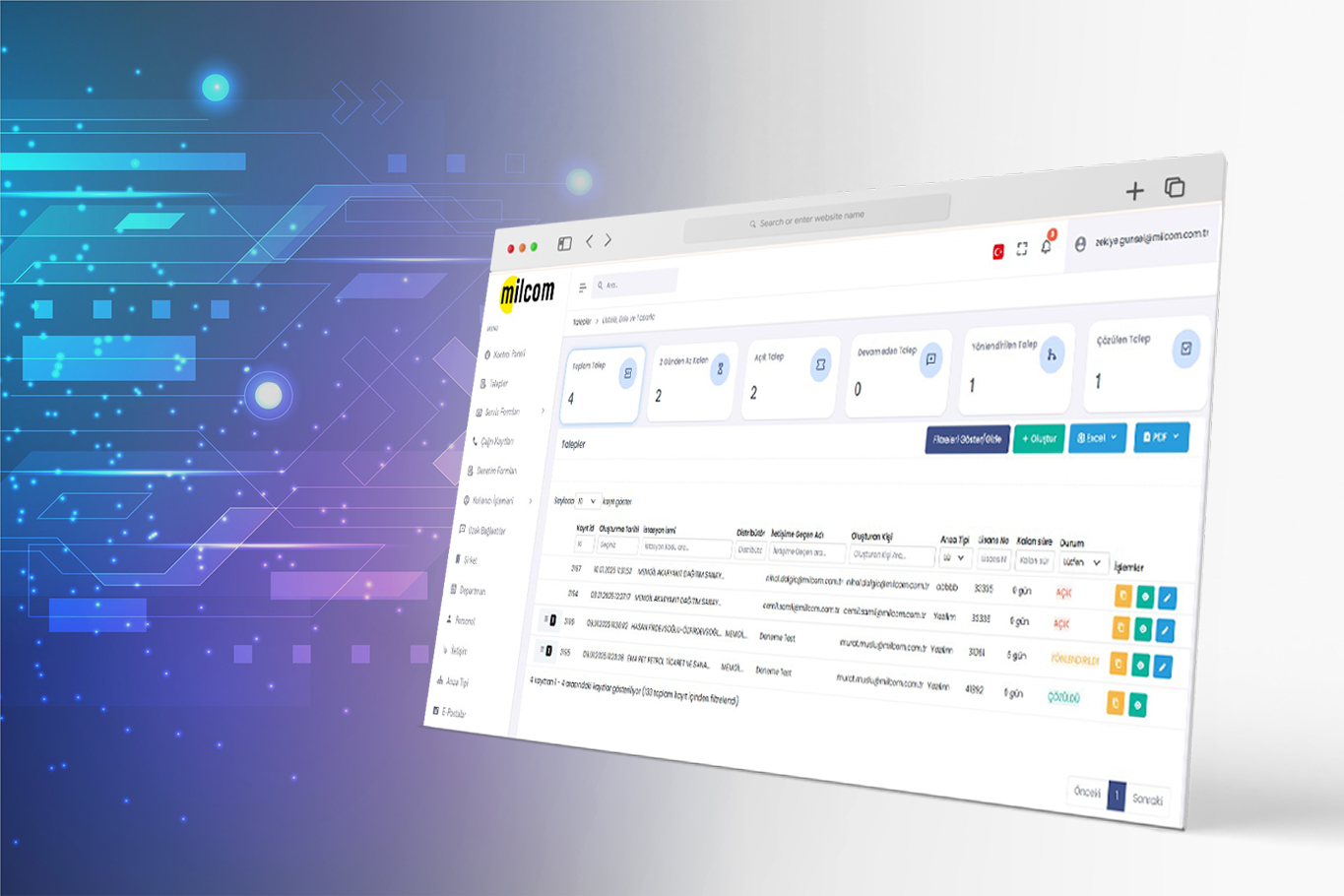
Fault Tracking Software
Every fault report becomes a numbered ticket; it's assigned to the right service point and technician, resolution time is tracked, and it's recorded at closing. Instead of scattered phone calls, you follow everything on one screen and get a real performance report at month-end.
What is fault tracking software?
Fault tracking software records faults and requests coming from customers or the field, turns them into work orders and assigns them to a service team, tracks resolution time and reports the outcome. Technical service software and work order tracking software describe the same job. The aim is that no request is forgotten and that you can measure who resolved each fault and how long it took.
How does it work?
A ticket is opened
A customer report, the field team or an alarm from an integrated system is recorded with a unique ticket number.
Classified and assigned
The fault type is selected and the resolution time defined for that type starts running; the ticket is assigned to the relevant service point and the person responsible.
Resolved in the field
The work done, the parts used and any seal movement are recorded; status changes appear in the ticket history.
Closed and reported
The ticket is closed; time, performance per service point and per employee, and the breakdown of fault types go into the reports.
What's inside?
Ticket and work order management
Every report is opened with a unique number; its status, history and owner are followed on one screen.
Service network management
In a multi-service setup, the ticket is routed to the right region and the right team; tickets can be transferred between service points.
Fault types and resolution time
Faults are grouped into categories and each category gets a target resolution time; overruns become visible.
Seal tracking and stock
Seal stocks are tracked; new shipments and transfers between service points are recorded.
Performance measurement
Closed tickets, average resolution time and workload distribution are measured per service point and per employee.
Automation and alarm integration
Data from station automation, service and alarm systems flows into fault management; a fault can open a ticket on its own.
Roles and permissions
Users and their roles are defined; everyone sees only the tickets and reports within their permissions.
Dynamic reporting
Filtered, visual reports analyze fault types, times and service workload; reports can be exported.
Who uses it?
Manufacturers and brands with a service network
For companies serving customers through authorized service points: ticket distribution, time tracking and performance measurement.
Technical service companies
For services working with field teams: work order, parts and time tracking, and measuring the promise made to the customer.
Fuel station networks
Monitoring station and automation faults centrally; turning a report from the alarm system into a ticket.
Multi-branch businesses
Fault history by branch, device and location; recurring faults become visible.
Frequently asked questions
Are fault tracking software and work order tracking software the same thing?
In practice they describe the same flow. Fault tracking emphasizes the part of the process that starts with a report; work order tracking emphasizes the part where field work is planned and carried out. At ELPO both run in one flow: the report becomes a ticket, and the ticket becomes a work order.
Why isn't tracking in Excel enough?
In Excel you can't see in real time a ticket's status, who has it and how long it has been waiting; when several people update the same file, records get lost. The real gap is measurement: you can't reliably get from Excel how long each fault type takes or which service point is falling behind.
Does it connect to our existing automation and alarm system?
Yes. It was designed to work with more than one automation system; data from station, service and alarm systems flows into fault management.
Can our service network appear under our own brand?
Yes. The system can be used under your own brand; your customers and authorized service points work under your name.
Can we define resolution times?
You can group faults into categories and define a resolution time for each category. The clock starts when the ticket is opened; overruns are shown separately in the reports.
How do you choose fault tracking software?
Look at three things: whether requests from every source (phone, email, alarm, field) are gathered in one flow, whether a target resolution time can be set per fault type with overruns made visible, and whether the field team can close jobs from mobile. Without these three, the software turns into a logbook and tracking is left to people again.
How is it different from tracking in Excel?
In Excel, a ticket's status depends on someone updating it, and a delay is only noticed when someone looks. In the software, every ticket is opened with a unique number, the time defined for the fault type starts running, overruns show up on their own, and closed tickets are reported per service point and per employee.
How is it managed when there are several service points and regions?
The ticket is routed to the right region and the right team, and transferred between service points if needed. Since users are defined with roles, each team sees only the tickets and reports within its permissions.
Can alarm-generating systems open tickets directly?
Yes. Once integration with automation and alarm systems is set up, an incoming alarm becomes a ticket with a unique number and goes to the relevant service point. That way, the fault doesn't wait until the customer calls.
How much does fault tracking software cost?
Pricing depends on the number of users and the size of the service network. If the field team will use mobile, those users count too.
What sets the price?
- Number of panel and mobile users
- Number of service points / regions
- Whether seal stock tracking is needed
- Integration with alarm and automation systems
- Need for custom forms and reports
We send the quote in writing, item by item, within 24 hours.
Related pages
Let's talk about your fault process
How many service points, how many technicians and how many tickets a month? Let's plan the integration with your existing systems and the setup together.
Request a Quote