










SmartERP · Finance
Accounts Receivable and Payable Software
If you leaf through ledgers to find out who owes you how much, the real loss is not money but time. When customer accounts work tied to invoices, receivables, due dates and collections fall into place on their own — all you look at is whom to visit and when.
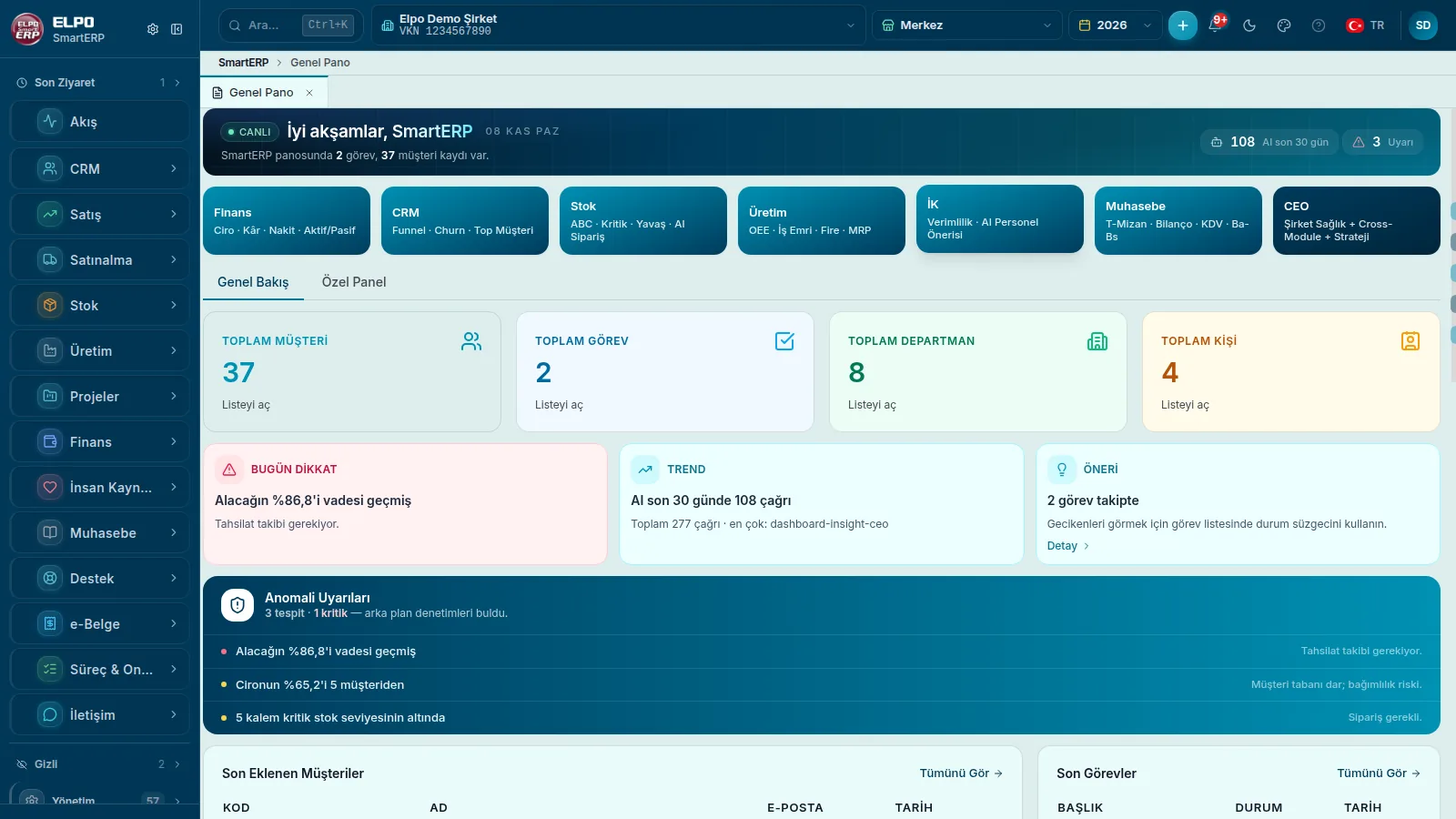
What is accounts receivable and payable software?
Accounts receivable and payable software keeps the receivable-payable relationship with customers and suppliers account by account. An invoice issued increases the account's debt, a collection received reduces it; each account's balance, overdue amount and transaction history are visible instantly. Because cash, bank and payment records are kept in the same place, the balance and the money in the till match.
How does it work?
-
Account card
A customer or supplier is defined once: tax details, address, payment terms and a credit limit if there is one. The same card is used in sales, purchasing and accounting.
-
The document moves the account
A sales invoice records a receivable, a purchase invoice records a payable. There is no need to record it anywhere else; the document is already the record itself.
-
Collections and payments
Cash, bank or cheque/promissory note entries are posted to the account, and the matching entry is created in the cash or bank account.
-
Statement and reconciliation
The account statement is taken for a date range and reconciled with the other party; matching against bank transactions runs from the same screen.
What does the software include?
- Receivables and payables on one screen
- Customers and suppliers share the same account structure. If a company is both a buyer and a seller, its net balance is shown.
- Due date tracking
- Amounts coming due and overdue amounts are listed separately. Having the software tell you whom to call is faster than building the list by hand.
- Cash and bank
- Cash transactions, bank accounts and payments are in the same system. The link between the account balance and the money in the till is never broken.
- Bank reconciliation
- Bank transactions are matched with the records in the system; unmatched items stay in a list, and the difference you search for at month end shows up here.
- Customer account statement
- Each account's transaction list is taken for a date range and exported; the reconciliation letter to send to the customer comes from here.
- In the same system as invoicing
- Account tracking is not a separate program. Because sales, purchasing, stock and accounting share the same database, the work of transferring and matching data disappears.
Who is it for?
Businesses that sell on credit terms
Receivables aging and due date tracking tie collections to the calendar.
Companies working with many suppliers
The payables side has the same structure; the payment plan and cash needs become visible.
Companies that keep their accounting in-house
When accounts, cash, bank and accounting are in one place, the data that goes to the outside accountant is consistent as well.
Frequently asked questions
What is current account tracking (cari takip)?
Current account tracking (cari takip) is how a business follows its receivables and payables with customers and suppliers, per person or company. A 'cari' account is a running open account: every invoice increases what is owed on the account, every collection or payment reduces it. What is tracked is each account's current balance, the amount falling due and the overdue amount, and the transaction history.
What is a current account tracking system, and is it different from current account tracking software?
They are two names for the same thing. A current account tracking system is software that keeps the receivable-payable movements of customer and supplier accounts, their due dates and the collection and payment records in one place. Calling it a "program" or a "system" does not change the product; the real difference is whether the invoice moves the account by itself, and whether there is a due date aging list and a reconciliation report. In SmartERP all of these are inside the same system.
Is accounts receivable and payable software the same as basic bookkeeping software?
Account tracking is part of basic bookkeeping. Basic bookkeeping covers invoices, stock, cash and accounts together; account tracking is its receivable-payable side. In SmartERP both are already inside the same system.
Can I track current accounts in Excel, and when should I switch to software?
With few accounts and few transactions Excel can be enough. The problem is that the invoice and the sheet live in different places: every invoice and collection is typed a second time by hand, one missed row makes the balance wrong, and nothing warns you about it. To see overdue receivables you have to filter the sheet again every time. In the software the account moves the moment the invoice is issued; the aging list and the account statement come out on their own. When you switch, the accounts and opening balances in your current list are loaded from a file.
How do I see overdue receivables?
In the aging list: how much of each account is within its due date, how much is overdue and by how many days — shown item by item. You run your collection calls from this list.
Is there cheque and promissory note tracking?
Cheques and promissory notes are entered within collection and payment records and are reflected in the account balance. Portfolio tracking is discussed according to the scope of your needs; tell us what you expect and we will give you a clear answer.
Can I import my bank statement into the system?
Bank transactions are brought into the system and matched with existing records; unmatched items stay in a separate list. Tell us which bank you work with and we will set up the import format accordingly.
A company is both my customer and my supplier — what happens?
Both receivable and payable transactions sit on the same account card, and the net balance is shown. When you offset them, the record stays in one place.
Can I work with more than one currency?
The finance module includes multiple currencies; exchange rate difference transactions are recorded. We define the currencies you work with during setup.
Can I transfer my existing account balances?
Account cards and opening balances are loaded from a file. Let us see the format of the data and we will tell you how long the transfer will take.
How many users can work at the same time?
The number of users is set by the licence; we do not impose a technical limit. Tell us how many people will use it and we will prepare a price accordingly.
Can I see collections and payments for the coming weeks?
Every Monday at 07:00, collections and payments for the next 4 weeks are derived from open invoices and cheque/promissory note due dates, and a single notification goes to managers. A week in which payments exceed collections is named, and overdue open items are listed separately; currencies are not added together.
How much does accounts receivable and payable software cost?
Modules are not sold separately; the price depends on the number of users and the deployment type. Accounts, cash, bank, invoicing and stock come in the same package.
From: $25 / month Excl. VAT Incl. VAT $30 / month
| Package | Price (Excl. VAT) |
|---|---|
| SmartERP Shared Database Per user · extra users 50% off | $25 / month $250 / year Incl. VAT $30 / month |
| SmartERP Dedicated Database Per user · extra users 50% off | $30 / month $300 / year Incl. VAT $36 / month |
All packages and current prices are on the purchase page. Prices may change; the amount shown at checkout applies.
Related solutions
Track your receivables on screen, not from a list
Let us hear how many customer and supplier accounts you have and how you track collections today; we will send in writing how the setup would go within 24 hours.
Request a Quote