












tuwash: fully digital wash automation
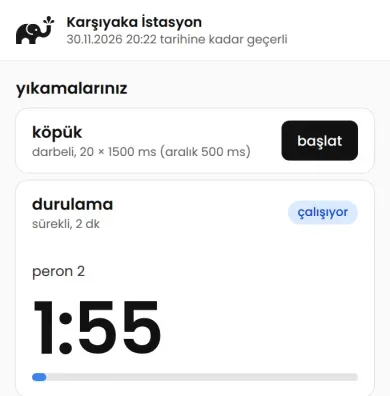
Automation that runs a self-service car wash station digitally from start to finish. The cashier makes the sale on a phone or at the till, the customer opens the link sent to their phone, picks the bay and starts the wash, and the relay board in the bay runs the pump and valve with that program.
tuwash does not wash cars; it installs the technology that runs the wash.
What it solves at a car wash station
Five jobs the station owner, the dealer and the cashier face every day.
-
Everything is digital
No tokens, coins or card readers. The customer pays at the till and starts the wash from their phone; no app to download, no account to open.
-
Every wash is recorded
Sales, cancellations, the program running in the bay and every settings change are logged; records cannot be deleted. If the board does not confirm the command, the use goes back to the customer.
-
Manage the station from anywhere
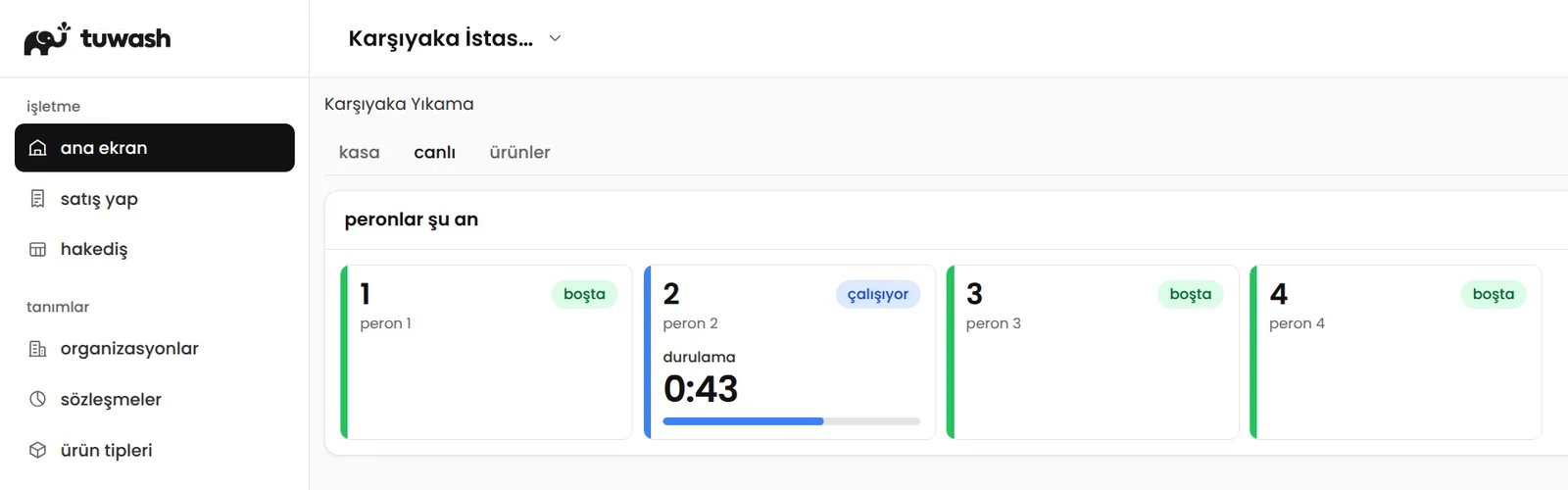
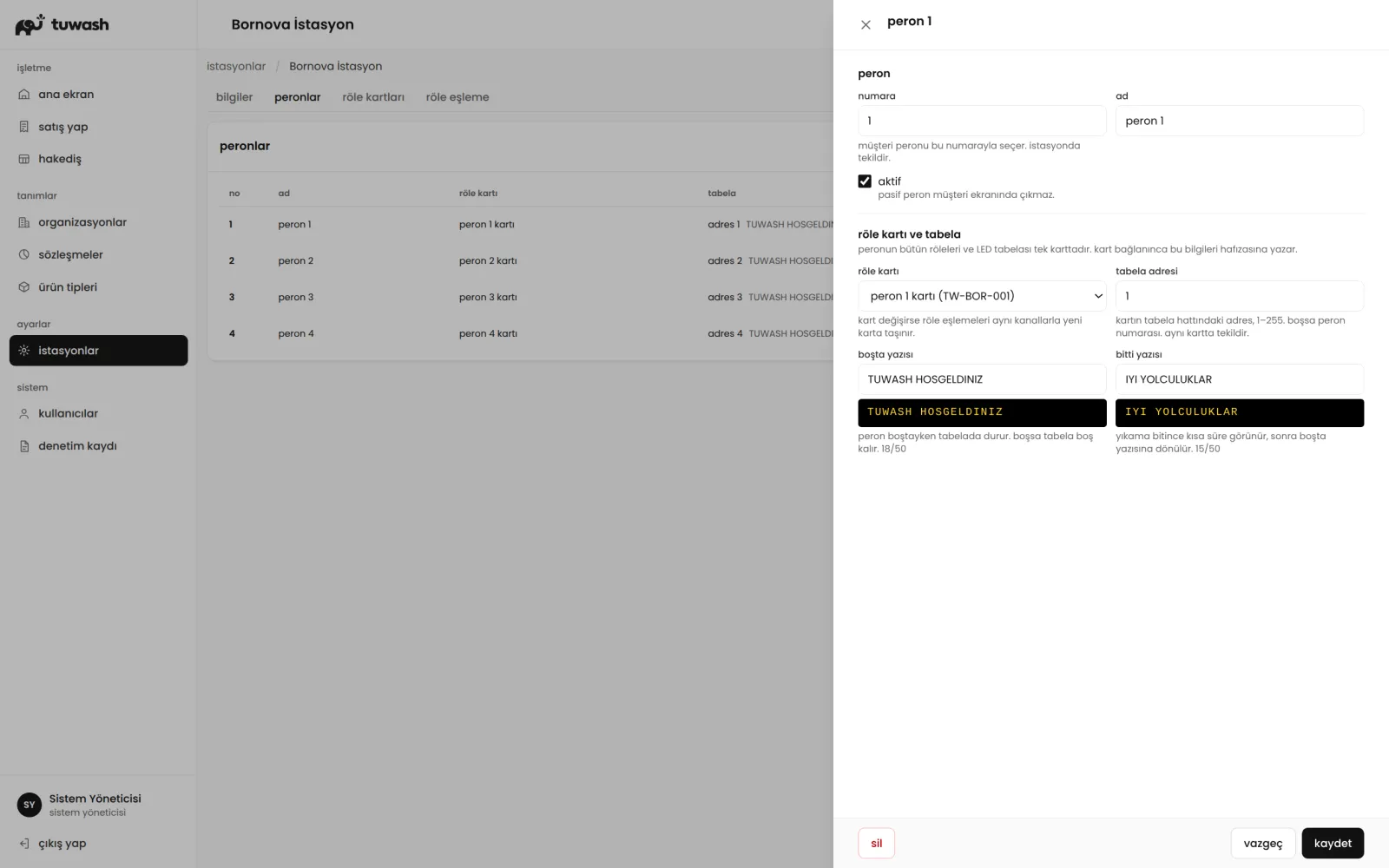
You see live which bay is free, busy or unreachable. Products, prices, bays and display settings are set in the panel; board settings reach the board without a site visit.
-
Dealer network and revenue share in one place
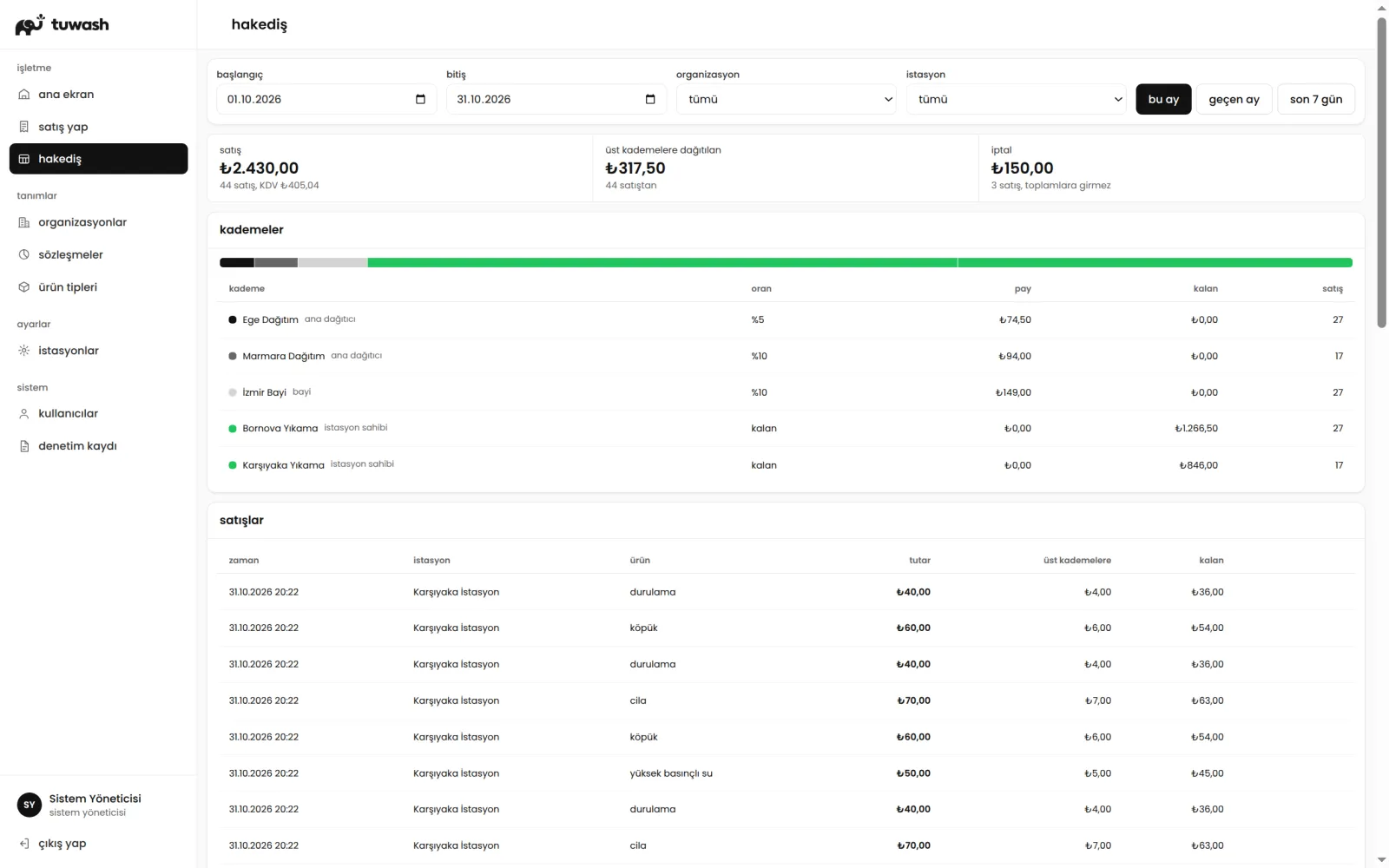
Head office, master distributor, dealer and station owner work in the same system. Each station's contract sets the shares; the revenue share screen shows who gets how much from each sale.
-
Fast for the cashier
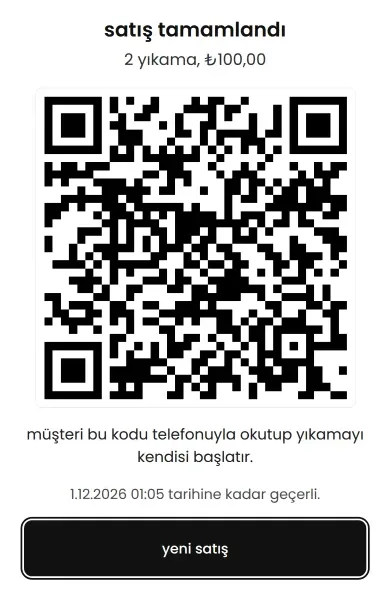
On the phone sales screen products are large tiles, and the result is a full-screen QR code. If the customer's phone number is entered, the link is sent by SMS.
How a wash starts
Cashier, customer and the relay board in the bay: from sale to running program in three steps.
- Cashier
Makes the sale, shows the QR code
Selects the washes on a phone or at the till and records cash or card. When the sale is done, a full-screen QR code appears; if needed, the link is sent to the customer's phone by SMS.
- Customer
Picks the bay and starts
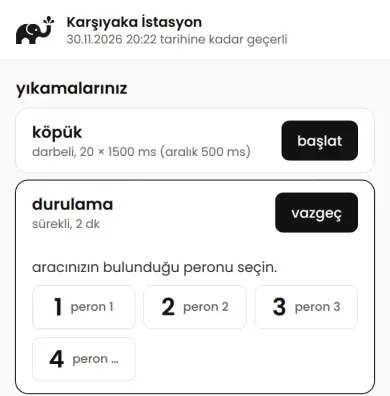
Scans the QR code with their phone and sees the washes they bought. Picks the bay where the vehicle is and starts the program; no app to download, no account to open.
- Relay board
Runs the program
The board in the bay confirms the command and runs the pump and valve for the program's duration. The countdown is shown on the customer's phone and on the bay display.
Dealer network and revenue share
Every station belongs to an organization tree. The station's contract sets each level's share; the revenue share screen shows who gets how much from each sale, the cancellations and the level shares.
- Head office (tuwash)
- Master distributor
- Dealer
- Station owner
Each level sets up its own team and sees only the stations below it.
Features
- QR wash start
- The customer picks the bay on their phone and starts; the countdown shows on the product card and on the bay display.
- Fast sales from a phone
- Cash and card records, cancellation with a reason, sending the link by SMS.
- Live bay panel
- Free, running or unreachable status of the bays and the time left on one screen.
- One relay board per bay
- Board settings and LED display texts go from the panel to the board; no site visit needed.
- Continuous and pulse programs
- Program types are defined on screen; the price is set per station.
- Role-based permissions
- Each level sets up its own team; each user sees what their role allows.
- Change log that cannot be deleted
- Sales, cancellations and settings changes are stored with who and when.
- Masking for data protection (KVKK)
- The customer's phone number is masked on screens.
Technical details
Values read from the product code.
- Relay boards per bay
- 1
- Outputs per board
- Default 10, up to 32
- Program modes
- Continuous (1–3600 s) and pulse (1–100 pulses, pulse 1–60,000 ms)
- Board connection
- Always-open connection to the server; a command completes when the board confirms it
- If no confirmation arrives
- If no confirmation arrives within 10 s, the use goes back to the customer
- Bay display
- Address 1–255; idle and finished text up to 50 characters
- Sales link validity
- 1–365 days, default 30
- User roles and permissions
- 6 roles, 14 permissions
- Organization levels
- 4: head office, master distributor, dealer, station owner
- Interface languages
- Turkish, English
The access key in the customer's link is not written to server logs; the customer page is protected by a request limit.
Who uses it
Station owners, businesses with several stations, master distributors, dealers and the technical teams that install the stations. Roles in the system:
- Business manager
- Station manager
- Technician
- Cashier
- Accountant
- Viewer
Screenshots were taken with sample data.
Frequently Asked Questions
What is tuwash?
Does the customer need to download an app?
Are tokens or card readers needed?
If the relay board does not receive the command, does the customer lose their money?
How are bays and relay boards matched?
How are dealers and revenue share calculated?
Which languages does tuwash support?
How much does tuwash cost?

Request a tuwash demo for your station
Tell us your number of bays and your setup; we will show you the panel, cashier and customer screens.
 PX · Pump Automation
 TX · Tank Automation
 ETOS · Tanker Automation
 TTX · Vehicle Identification
 MTX · Customer Tracking